Case study · 02
Better School Choice
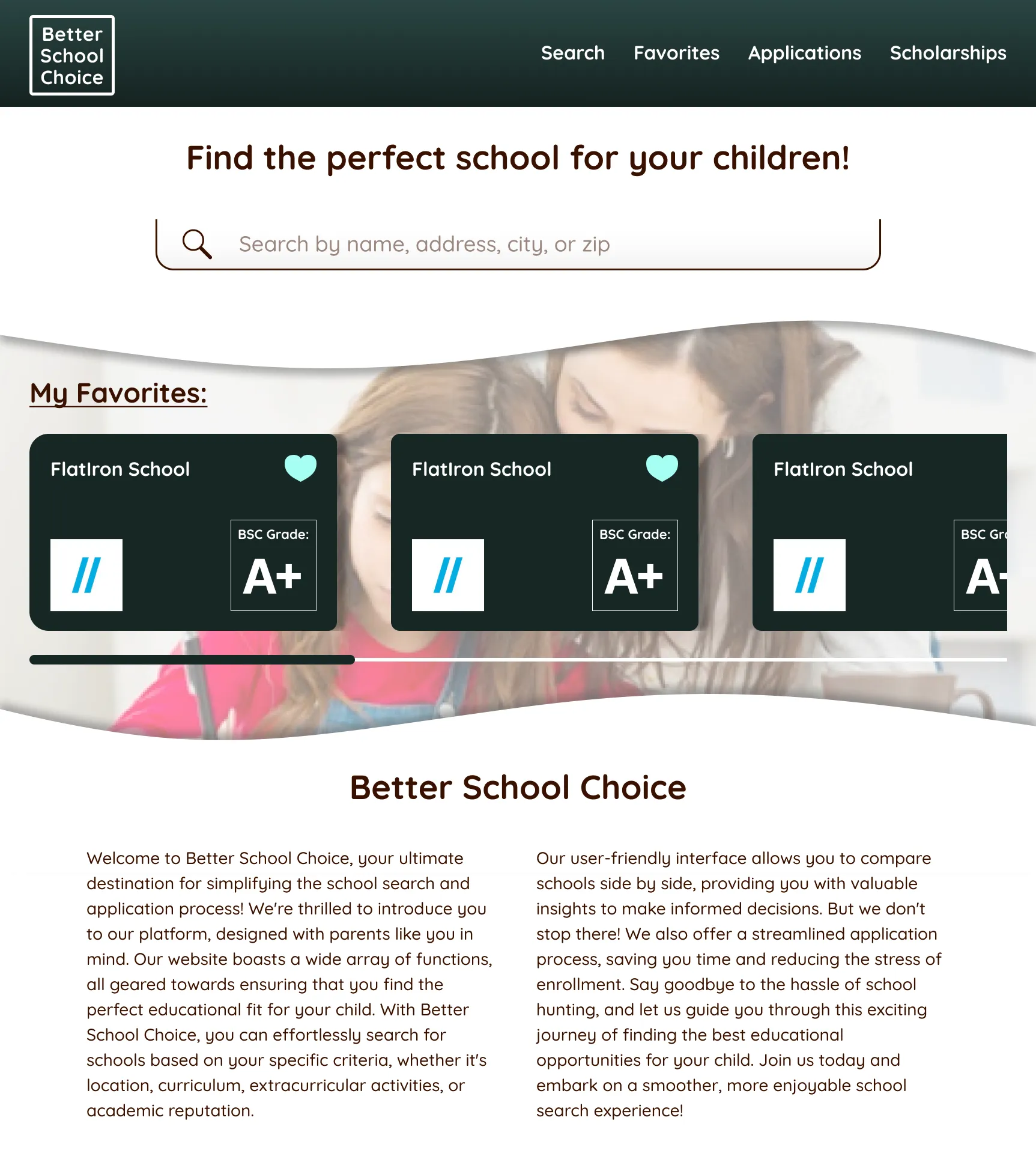
One place for parents to find, compare and apply to schools, with their children involved in the search.
- Role
- UX research and UX/UI design
- Stack
- UX research, Figma
- Platform
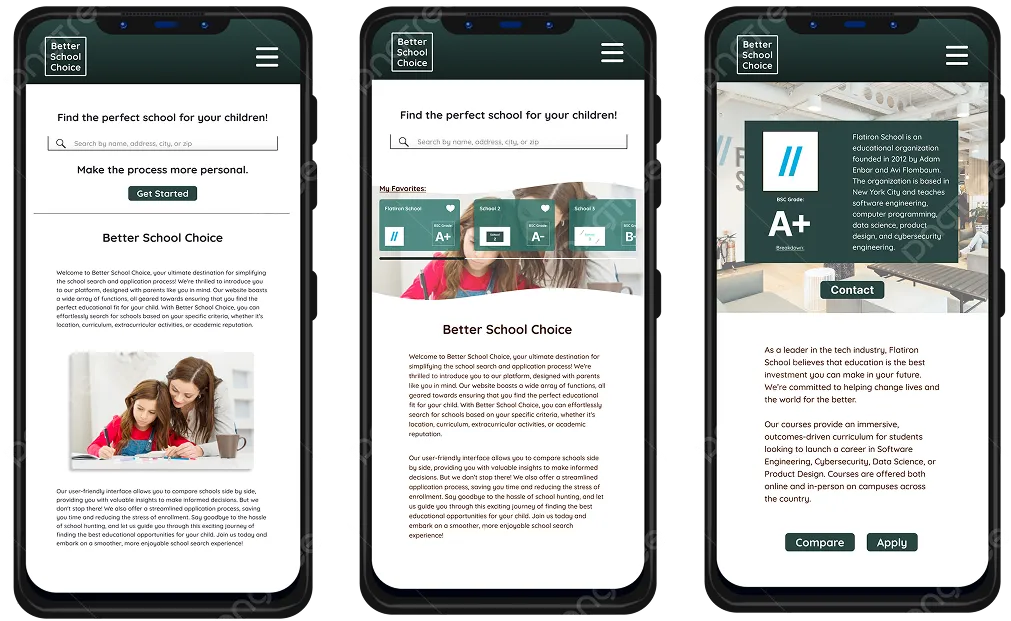
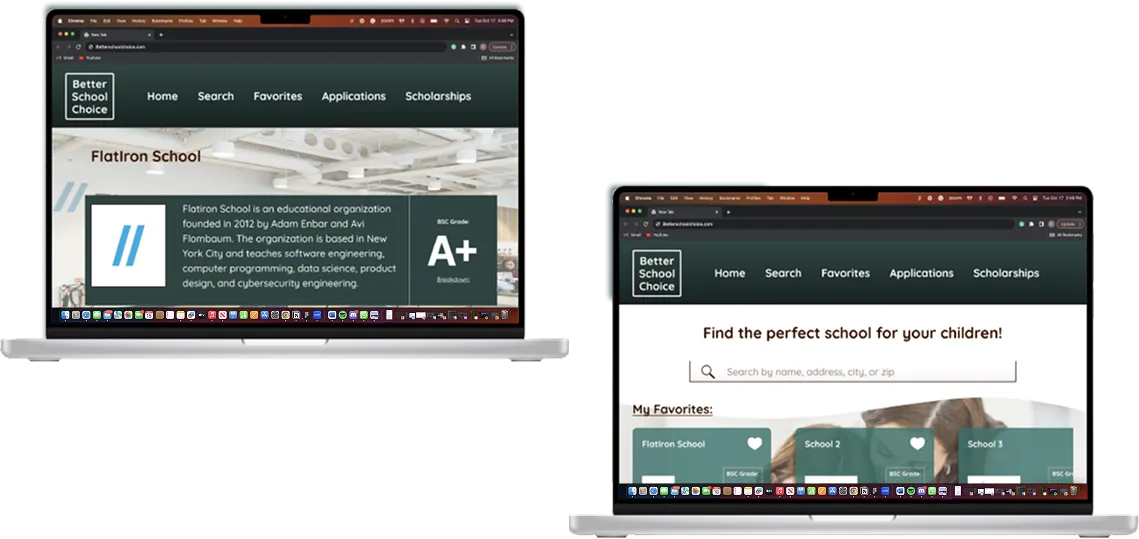
- Responsive website
01
The problem
Searching for schools has always been a difficult task for parents.
It is hard to find all the necessary information and resources without the search becoming extremely time consuming.
From a user interview
I couldn't even begin. I sent hundreds of emails, did a dozen visits... it was a part time job!
02
The goal
Help parents find the perfect school for their children without the process being exhausting.
The idea is to give parents all the information and resources within one site, plus a collaborative space where they can keep track of their preferences, findings and progress.
03
The audience
The product was first aimed at parents looking for schools for the first time, since the process can be extremely overwhelming for them.
Testing with parents who had already been through the process changed that view. They appreciated a tool that simplifies what they had to go through more than anyone, and liked that it gets children involved and lets them collaborate in the search.
04
Discovery
I studied six interview transcripts from OurKids. What those parents shared led me to create the Better School Choice Grading System, which is how schools are ranked and rated within the site.
I also reviewed five competitors: Schoolahoop, Step Up for Students, Niche, GreatSchools.org and the City Data website. Studying them confirmed which features were necessary, let me combine ideas from different sites such as the scholarship system, and showed me where there was room to innovate.
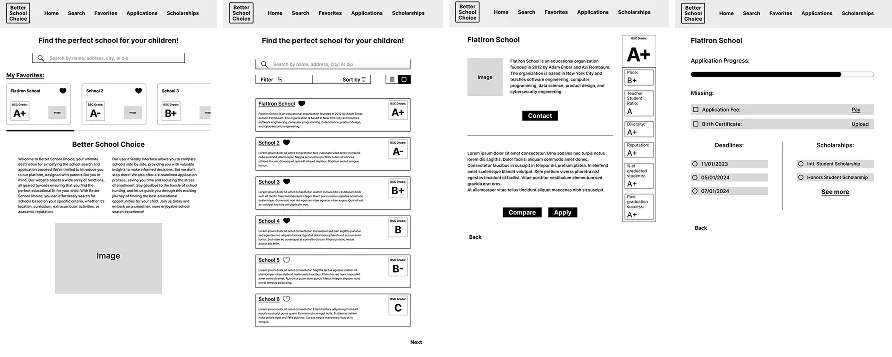
After building a low fidelity prototype, I tested it with parents and got great feedback on both the prototype and the idea itself. It became clear that all parents would appreciate this product and the chance to involve their children in the search.
05
The solution
All the tools in the same site and the same account.
- Find schools and build a list of favorites
- Apply to, contact and compare schools
- Keep track of information and progress in an organized way
- Sign in on several devices, so parents and children can research at the same time and see what the others found
These were the features that mattered most, without adding extras to an already overwhelming process.
06
The result
The main goal was efficiency.
The design can seem simple, but there is a purpose behind it. I considered even the slightest waste of time an image can create, and the challenge was keeping the site friendly while avoiding extra animations, illustrations and imagery. In the end, the site strikes a balance that keeps the focus on the task at hand.
Next project
Build Early Money Habits
Financial education for children.